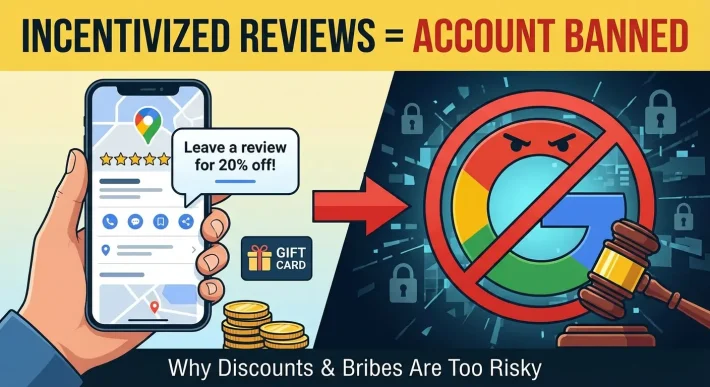
Navigating Google Review Policy Violations: A Guide for Local Businesses
Google review policy violations are a common problem for business owners who want to maintain an accurate online profile. When a customer or a malicious actor leaves feedback that breaks the rules set by the platform, you have the right to request its removal.
This process requires a clear understanding of what the platform allows and what it strictly prohibits. We cover the broader strategies for maintaining your reputation in our Google review management guide, but this article focuses specifically on how to identify and handle content that violates platform rules.
Understanding how the system works is the first step toward cleaning up your profile. This guide will walk you through the exact types of content that can be removed, the types of feedback that will likely stay published, and the step-by-step process you need to follow to submit a successful removal request.
Table of Contents
Understanding Google’s Enforcement Rules
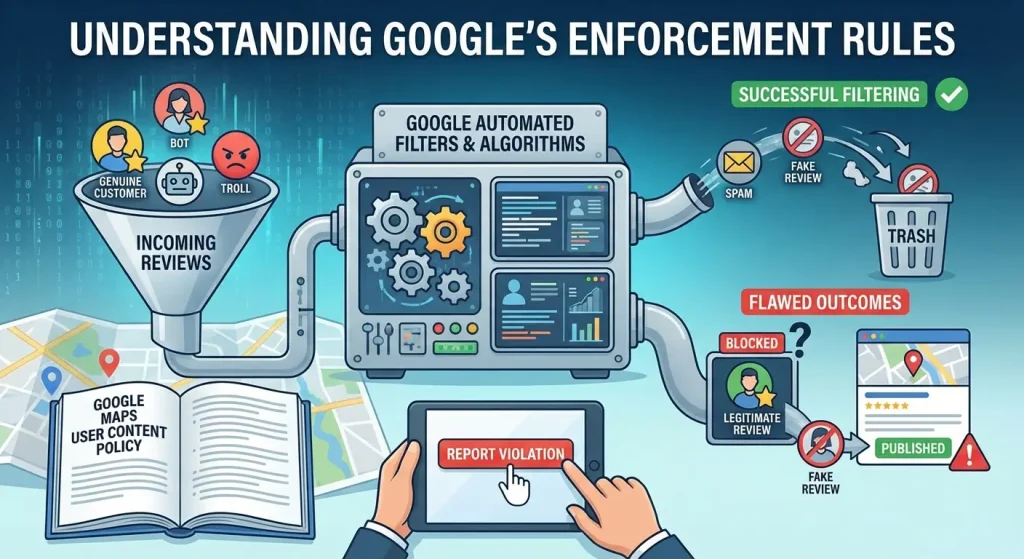
The platform updates its algorithms frequently to detect spam and fake engagement. Currently, the system relies heavily on automated filters to analyze text and user behavior before a rating ever goes live on a business profile.
However, this automated system is not perfect. Many legitimate ratings get caught in the filter, which explains why Google reviews disappear without any warning to the business owner. At the same time, many fake ratings manage to bypass the filter and get published on your page.
When you find a rating on your profile that you believe is unfair, you cannot simply delete it because you disagree with the customer’s opinion. You can only request a removal if the content explicitly breaks a documented rule.
Google explicitly states that all user feedback must represent a genuine, unmanipulated experience with the specific business. If the text or the rating fails to meet this standard, you have grounds to flag it.
For the complete and current list of prohibited content, you should review the official Google Maps User Contributed Content Policy.
What Constitutes a Google Review Policy Violation?
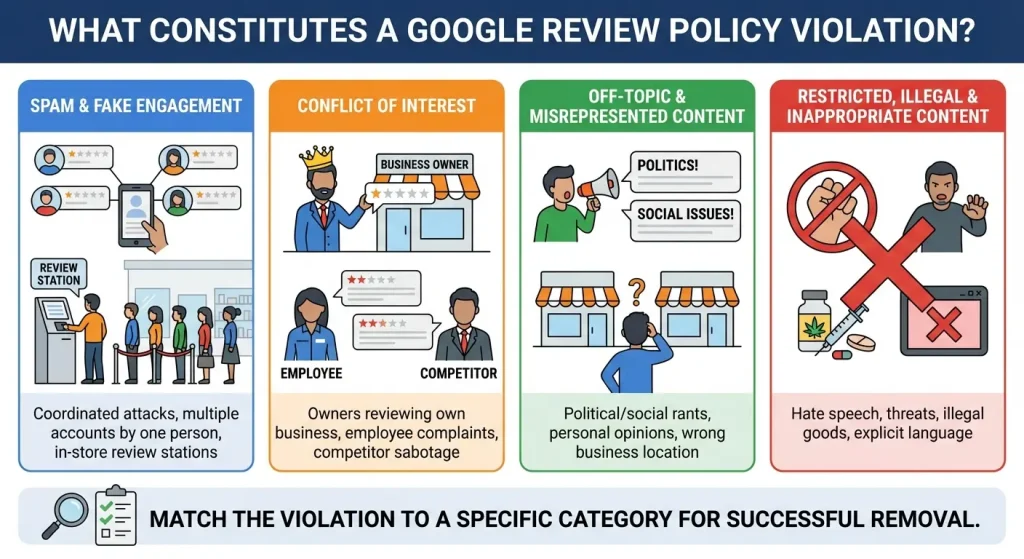
To successfully get a bad rating removed, you need to match the problematic feedback with a specific category in the platform’s guidelines.
The moderation team groups these violations into several distinct areas. Knowing exactly which rule is being broken will increase your chances of a successful appeal.
Spam and Fake Engagement
Spam is the most common type of violation that business owners encounter. This category includes coordinated attacks where multiple new accounts leave one-star ratings in a very short period.
It also includes situations where a single person uses multiple different email addresses to artificially lower your overall score. Any rating designed to manipulate a business profile rather than reflect a real customer experience is classified as spam.
This rule also applies to businesses that try to game the system by setting up reviewing stations inside their store or requiring customers to leave a rating before they can access a service..
Conflict of Interest
The conflict of interest policy is a very clear violation category. Business owners are not allowed to review their own establishments.
Furthermore, current or former employees are completely prohibited from leaving feedback about their employment experience on the public business profile.
If an ex-employee leaves a negative rating to complain about management, pay, or working conditions, this is a direct violation of the rules.
Competitors are also banned from leaving negative ratings to harm your business or leaving positive ratings on their own profiles to boost their local ranking.
Off-Topic and Misrepresented Content
An off-topic google review policy violation is frequently seen and usually easy to prove. The text must be directly about the product or service provided by your specific business.
If a user leaves a comment discussing their political views, social issues, or personal rants that have nothing to do with their experience as a customer, the moderation team will remove it.
This rule also applies to feedback meant for a different company. Sometimes users confuse locations with similar names and leave their complaints on the wrong profile.
If the text clearly describes a service you do not offer, a product you do not sell, or a location you do not operate, you can confidently flag it as off-topic.
Restricted, Illegal, and Inappropriate Content
The moderation team treats illegal and inappropriate content very strictly. Ratings containing hate speech, harassment, or direct threats will be taken down.
The platform strictly prohibits users from naming and insulting specific staff members. Explicit content, profanity, and the promotion of illegal goods or services are also immediate grounds for removal.
If a rating includes any of these elements, the automated system usually removes it very quickly after it is reported by the business owner.
The Gray Area: Reviews Google Rarely Removes
Business owners often wonder if they have grounds to remove feedback simply because it is factually incorrect or highly unfair. The short answer is usually no.
You can learn more about this specific limitation and user control in our article discussing if businesses can delete Google reviews.
Customer Service Disagreements
Disagreements between staff and customers are the most common source of frustration for business owners. If a customer claims your staff was rude, and you know your staff was polite, the platform will not intervene.
Looking For Google Reviews? Claim your Discount Below
 8,492 people used this service in the past 7 days

The moderation team does not act as a judge to determine who is telling the truth in a dispute between a business and a consumer. As long as the customer is describing their perception of a real interaction, the rating will remain on your profile regardless of your evidence.
Minor Factual Inaccuracies
Ratings containing minor factual errors also tend to stay published. If a user states they paid fifty dollars for a service when your actual price is forty dollars, this error does not violate a core policy.
The platform considers the overall experience to be valid even if the user misremembers specific details about the transaction. You cannot use a small numerical error as grounds for a complete removal.
Textless One-Star Ratings
Many business owners try to remove one-star ratings that contain no written text. These are notoriously difficult to take down. The moderation team considers a star-only rating to be a valid expression of a user’s opinion.
Unless you can provide hard evidence that the rating is part of a larger, coordinated spam attack coming from a network of suspicious accounts, the platform will leave the rating in place.
Step-by-Step: How to Remove a Review That Violates Policy
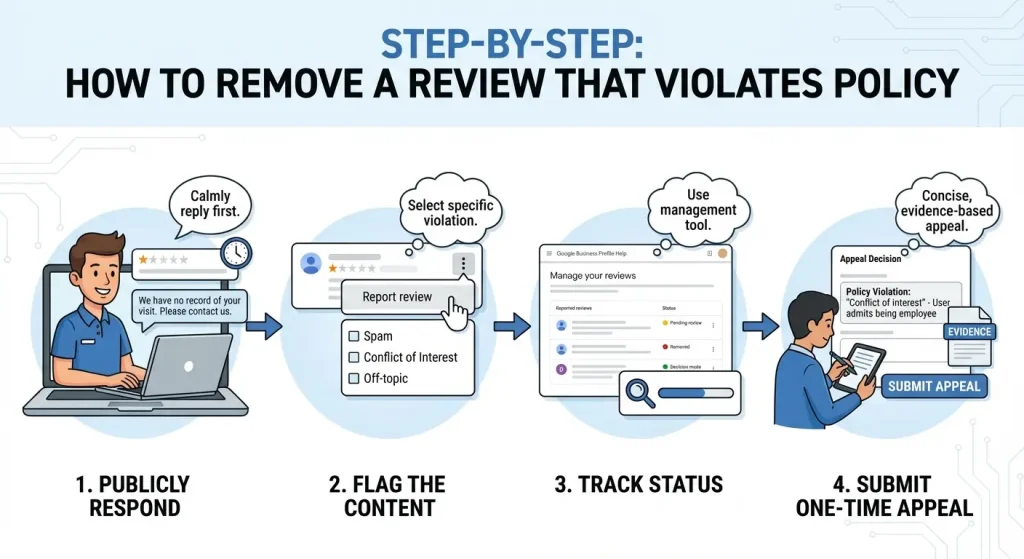
When you spot a rating that clearly breaks the rules, you need to follow a specific operational process to alert the moderation team. Do not ignore the rating, but do not react emotionally either.
Step 1: Respond to the feedback publicly
Even if you plan to flag the text for removal, you should leave a public reply first. A calm and professional response shows other potential customers reading your profile that you are attentive and responsible.
If the rating is completely fake, you should state simply that you have no record of doing business with the user and offer an email address to resolve the issue.
Step 2: Flag the content on your profile
You can report the violation directly on your profile. Find the specific rating, click the three dots next to the text, and select the option to report it.
You will be prompted to select the specific rule you believe the text violates. You must choose the category that most accurately describes the problem, as this selection determines how the automated system evaluates your initial request.
Step 3: Track the status using the management tool
Instead of just waiting and guessing, you should use the dedicated Google Business Profile Help page for managing and tracking user feedback.
This specialized tool allows you to select your business, view the items you have previously reported, and check their current status in the queue. The status will show if the item is still pending review, if it was successfully removed, or if the system decided to keep it active.
Step 4: Submit a one-time appeal
If the system decides the rating does not violate their google review policies, you have one chance to appeal the decision. Through the same status tracking tool, you can select the item and submit a formal appeal.
When writing your appeal, you need to be highly concise and quote the exact line from the policy that the text breaks. Provide clear, undeniable evidence. For example, point out that the user explicitly admits to being an employee in the second sentence of their text.
When Removal Fails: Alternative Strategies
Sometimes, despite your best efforts and clear evidence, the moderation team will refuse to remove a damaging rating. When this happens, you cannot afford to let a low score sit at the top of your profile and deter new customers.
The most effective way to handle permanent negative feedback is to generate a large volume of positive ratings to push the bad text further down the page and minimize its mathematical impact on your overall average score.
We have detailed guides on how to ask for Google reviews from your current customer base, but building a strong rating organically takes months of consistent effort.
If you have been targeted by an unfair attack and need to restore your rating quickly, Reputation Manage offers a reliable solution. You can buy Google reviews directly from our team to offset the damage. We provide high-quality ratings that are placed on your profile over a natural timeline.
Using a professional service to increase your positive feedback count is the fastest way to repair your average star rating after a negative event.
Instead of waiting months for new customers to leave feedback naturally, you can actively control your online reputation and ensure that potential clients see a highly rated business when they search for your services.
Our process is straightforward, and we focus on delivering results that look completely normal to the automated moderation systems.
Frequently Asked Questions
How long does it take for the platform to process a reported rating?
The timeline varies heavily depending on the current volume of reports in the system. It typically takes between three and five business days for the system to assess flagged content.
In some cases involving manual moderation, it may take up to two full weeks. If the item is still pending after two weeks, you should check the status tracking tool for any updates.
Is reporting a violation anonymous?
Yes. The user who posted the feedback will never be notified that you flagged their content. The entire reporting and appeals process is kept strictly confidential between the business owner and the moderation team.
Will the platform notify me if they remove the content?
The system generally does not send an email notification when an item is successfully removed. You need to actively monitor your public profile or use the status tracking tool to see if the content has been officially taken down.
Can I take legal action against a customer for a fake rating?
You have the option to pursue legal action for defamation, but this is a highly complex and expensive process.
You have to prove in a legal setting that the statements are factually false and that they caused direct, measurable financial damage to your business. You should always consult a legal professional before considering this route, as it is rarely the most efficient way to handle a standard policy violation.