How to Pass Google Business Profile Verification in 2026
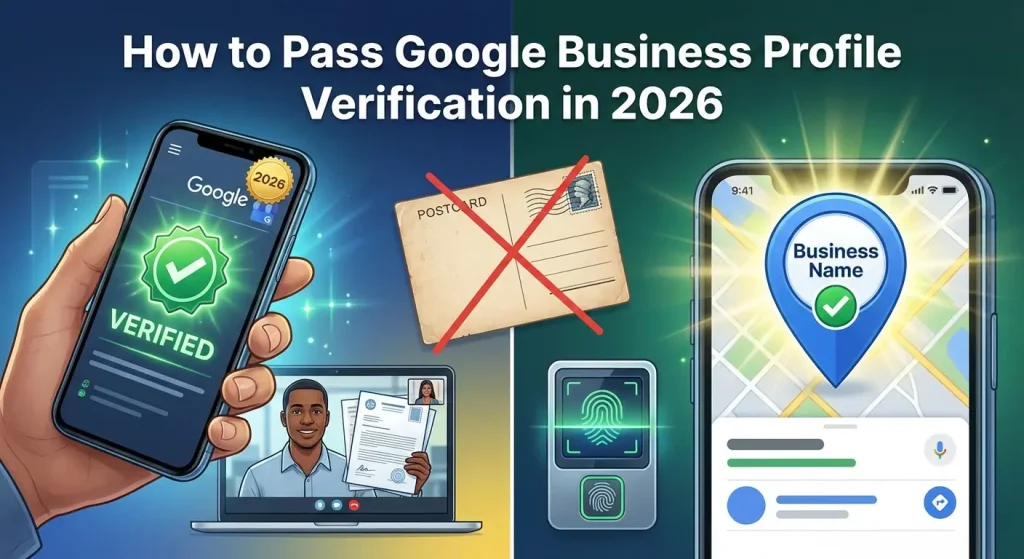
Google business profile verification is the exact step that proves to Google your company actually exists at the location you claim.
You can set up all the details you want, but your profile will remain invisible to customers on Google
Search and Maps until you complete this process. If you have not started setting up your initial information yet, please read our complete guide on how to create a Google Business Profile first.
Getting verified used to be as simple as waiting for a postcard in the mail. Today, Google has updated its systems to fight spam and fake listings.
They now require much stricter proof of business. This guide explains exactly what you need to do to pass the verification process on your first try, avoiding delays and account suspensions.
Table of Contents
Why Google Business Profile Verification is Non-Negotiable

You cannot skip verification. An unverified profile will not show up in local search results or on Google Maps.
When people search for services or products in your area, Google only displays businesses it trusts. Verification is the process of earning that trust.
Once you verify your business, you gain the ability to respond to customer reviews, post updates, and track how people find your profile.
It is the foundation of local search engine optimization. If you want to know how to rank higher on Google Maps, passing verification is the absolute starting point.
Furthermore, customers trust verified businesses more. When a listing has the official checkmark and shows up accurately on Maps, people are much more likely to call or visit.
An unverified listing often looks abandoned or suspicious to anyone who manages to find a direct link to it.
The Pre-Verification Checklist: Prepare Before You Apply

Many business owners fail verification because they apply before they have their paperwork in order.
Google will ask for proof, and if you cannot provide it immediately, your application will be rejected or delayed. Gathering your business documents before you request verification is the most important step you can take.
First, check your business name, address, and phone number. This information must be exactly the same across all your documents. If your utility bill says “Main Street” but your profile says “Main St,” this small difference can trigger a rejection.
Do not add extra descriptive words or keywords to your business name on the profile. Use only your real, legal business name.
Second, gather your physical evidence. Depending on the method Google assigns you, you will likely need to show them official documents.
Have your business license, tax registration, and a recent utility bill ready. The utility bill must be under the exact business name and address you used on your profile.
If you run a business from a storefront or office, make sure your permanent outdoor signage is installed. A paper sign taped to a window will not work.
If you run a business that travels to customers, make sure your work vehicle has your logo printed on it, and have your branded tools or equipment ready to show.
How to Verify Google Business Profile: 2026 Methods
When you finish filling out your profile details, Google will automatically give you one or more ways to verify. You do not get to choose the method from a full list; Google decides based on your business category, location, and account history.
1. Video Verification
Video verification is the most common method in 2026. Google uses this to ensure someone is actually at the physical location. You will need a smartphone with a camera and an internet connection.
When you start the video recording, you must capture one continuous, unedited video. You cannot stop the recording and stitch different clips together. Start by standing outside. Show the street signs near your business and the permanent signage on your building.
Next, walk to the front door and unlock it to prove you have access. Finally, walk inside and show the equipment you use to run your business. This could be a point-of-sale system, a kitchen, or a desk with your printed marketing materials.
If you are a service-area business without a public office, you still have to do a video. Show the street signs near your home base, then walk to your work vehicle.
Show the permanent branding on your vehicle, open the doors, and show the tools and equipment you use for your trade. You can read the official Google Business Profile Help documentation for their exact video guidelines.
2. Postcard Verification
This is the older method, though Google still uses it sometimes. If you get this option, Google will mail a physical postcard to your business address. The postcard contains a five-digit business verification code.
Tell your staff to look out for a plain white postcard from Google and make sure they do not throw it away as junk mail. It usually takes five to fourteen days to arrive.
Looking For Google Reviews? Claim your Discount Below
 8,492 people used this service in the past 7 days

Once you get it, log back into your profile, enter the code, and your listing will be active. Do not edit your business name or address while waiting for the postcard, or the code will become invalid.
3. Phone or SMS Verification
Some businesses are allowed to verify over the phone. Make sure the phone number on your profile can receive direct calls or text messages.
Automated phone trees or call centers usually cause this method to fail. When you click verify, Google will immediately call or text a code. Enter that code on the screen.
4. Email Verification
If your business has a domain website, Google might let you verify via email. The email address must match the domain exactly.
For example:
- If your website is https://www.google.com/search?q=yourbusiness.com,
- The email must be an address like contact@https://www.google.com/search?q=yourbusiness.com.
A standard Gmail or Yahoo address will not trigger this option.
5. Instant Verification
If your business website is already connected to Google Search Console, Google might verify your profile instantly. The system cross-references the data and confirms you own the web property. This happens automatically during setup if your accounts are linked.
Troubleshooting: When You Can’t Verify My Business

Problems happen frequently during this process. Knowing how to handle them keeps you from getting stuck for weeks.
If your video verification gets rejected, do not panic. This usually means the video was too dark, too shaky, or lacked clear proof. Review the footage in your head.
Did you clearly show the street sign? Did you unlock the door on camera? Record a new video in broad daylight, move the camera slowly, and make sure every piece of evidence is in focus.
If your postcard never arrives after fourteen days, you can request a new one. Do not request a new one after just five days, because requesting a second postcard cancels the first one.
If the second one fails to arrive, you will need to contact Google support directly and ask for a manual video call.
Sometimes, owners accidentally create multiple profiles for the same location while trying to get verified. This causes a massive issue because Google will suspend duplicate listings.
If you realize you made a mistake, you need to fix it quickly. Follow the instructions on how to delete a Google Business Profile to remove the extra listings before continuing the verification on your main one.
What to Do While Waiting for Google
Depending on your method, you might have to wait a few days or weeks. Use this time to prepare your profile content.
You can write your business description, add your services, and gather high-quality photos of your products and staff.
You should also read up on Google Business Profile optimization and learn the basics of Google Business Profile SEO. Preparing your strategy now means you can start getting traffic the exact minute your profile goes live.
Conclusion
Getting the verified checkmark is just the beginning. A verified profile with no activity will not bring you any new customers. To actually make money from Google, you need a strong reputation and consistent activity.
Your next step is to start gathering customer reviews immediately. Reviews are the number one factor that convinces people to click on your business instead of the competition.
Building that initial trust can be difficult for a brand new listing. We highly recommend using professional services to boost your initial standing.
You can buy Google reviews from our team to safely establish your online authority and get the momentum going.
Additionally, combining your new local presence with broader social media growth strategies will ensure your business dominates both local search and community engagement. Get verified, get optimized, and start bringing in local traffic today.
Frequently Asked Questions
How long does verification take?
Video, phone, and email verification usually finish within one to two days after submission. Postcard verification takes between five and fourteen days, depending on the postal service in your area.
Can I verify a profile without a physical address?
Yes. Plumbers, electricians, and cleaners are considered service-area businesses. You can clear your residential address from the public map, but you still have to verify that address with Google internally using the video method.
How can I bypass video verification?
You cannot bypass it. If Google decides your business needs a video verification, you have to complete it. There is no alternative option you can select.
Why was my profile suspended right after getting verified?
Making major changes immediately after verification often triggers a suspension. If you verify the profile and then immediately change your business name or move the map pin to a new city, Google’s system flags it as suspicious behavior. Make sure your details are accurate before you apply.