Can You Leave Anonymous Google Reviews?
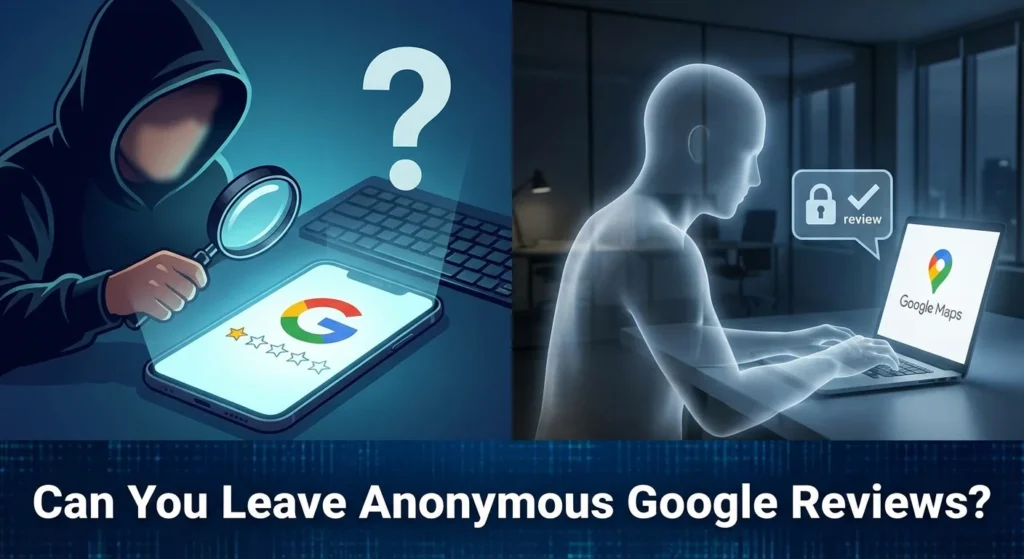
Can you leave anonymous google reviews in 2026? This is a question millions of users and business owners ask as privacy concerns grow.
While Google historically required a real name, the platform has evolved to allow for more privacy-centric options.
Whether you are a customer wanting to share a sensitive experience without revealing your identity or a business owner trying to understand how these “ghost” reviews affect your bottom line, this guide will break down everything you need to know.
Table of Contents
The 2026 Reality: Is True Anonymity Possible?
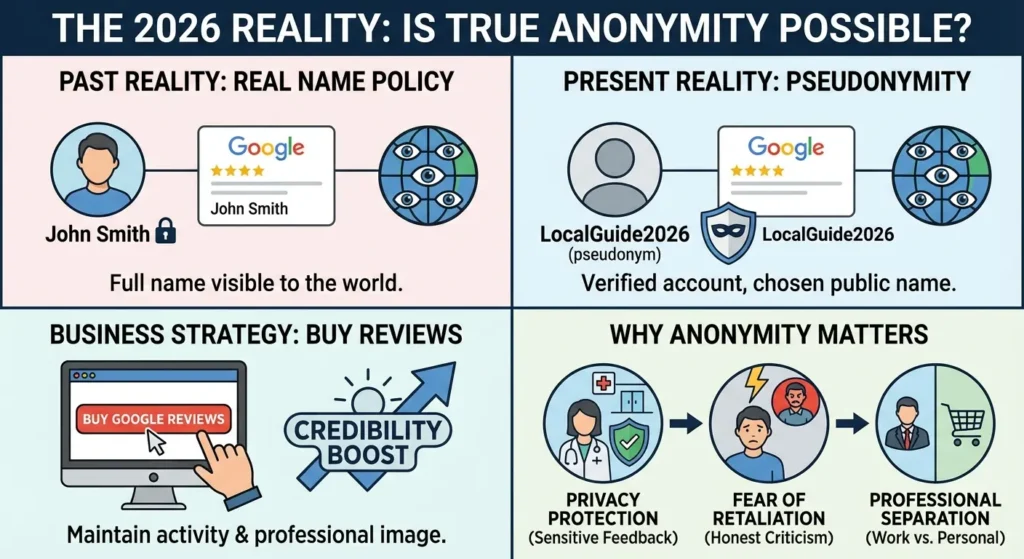
In the past, Google was strict about its “Real Name” policy. If you wanted to post a review, your full name from your Google Account was visible to the world.
However, recent updates have introduced pseudonymity. This means while you still need a verified Google account to post, you can choose how your name appears to the public.
For those looking to bolster their business presence quickly while maintaining a professional image, you can buy Google reviews to ensure your profile stays active and credible during these policy shifts.
Why People Seek Anonymity
- Privacy Protection: Users visiting medical clinics, law firms, or therapy centers often want to provide feedback without their neighbors or employers knowing.
- Fear of Retaliation: Customers may fear being harassed by a business owner if they leave a critical but honest review.
- Professional Separation: Many professionals use their primary Google account for work and do not want their personal shopping habits or local visits linked to their professional persona.
How to Leave an Anonymous Google Review (Step-by-Step)
If you want to share your thoughts without your full legal name appearing on a business profile, you have two primary methods.
Method 1: Using a Custom Display Name
Google now allows users to toggle a custom name for their “Maps Profile” that differs from their actual Google Account name.
- Open the Google Maps app on your mobile device.
- Tap your profile icon in the top right corner.
- Select “Your Profile.”
- Choose “Edit Profile.”
- Look for the “Custom Name” toggle. Here, you can enter a pseudonym like “Local Foodie” or “Anonymous Traveler”.
- Once saved, all your future reviews will display this alias instead of your registered name.
Method 2: Creating a Dedicated Review Account
If you want to be completely disconnected from your main data, you can create a new Google account specifically for reviews.
- Ensure the new account is verified with a mobile number to avoid being flagged as a “bot.”
- Use a generic name during setup.
- Warning: Google’s spam filters are much tougher on “empty” accounts with no history. If you use a brand-new account, your review might be hidden by automated filters.
If you find that your legitimate reviews are being filtered out or disappearing, it is worth investigating why Google reviews disappear to understand the technical hurdles.
How Anonymous Reviews Impact Local SEO
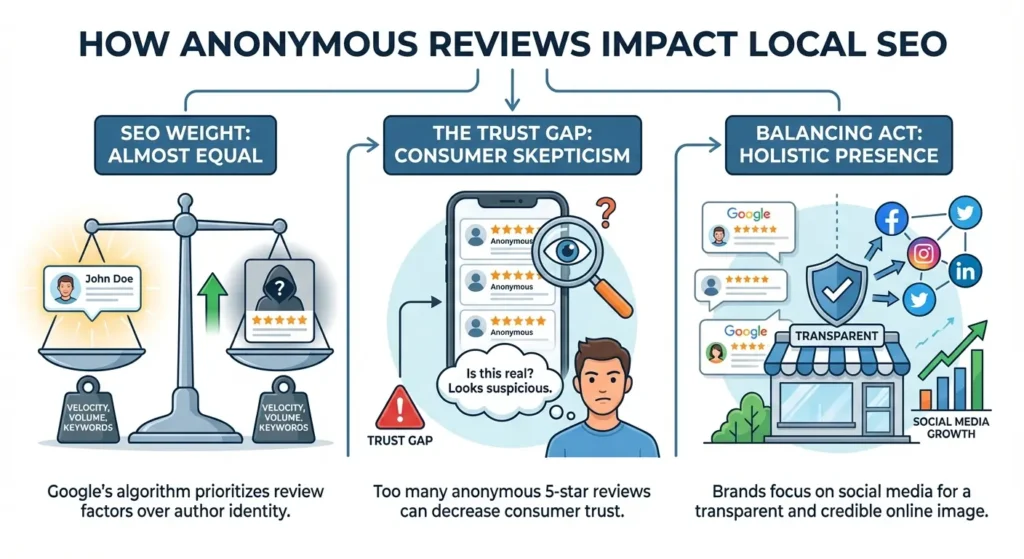
From a Search Engine Optimization (SEO) standpoint, an anonymous review carries almost the same weight as a named one. Google’s algorithm prioritizes review velocity, volume, and keyword relevance.
However, there is a “trust gap” to consider. According to research from BrightLocal, consumers are slightly more skeptical of reviews that don’t have a clear name or a profile picture. For a business, having too many anonymous 5-star reviews can sometimes look suspicious to savvy customers.
Complying with Google’s Review PoliciesTo balance this out, many brands focus on social media growth to build a more holistic and transparent online presence.
Complying with Google’s Review Policies
Even if you are posting under a pseudonym, you are not invisible to Google’s moderation team. To ensure your review stays live, you must follow these rules:
Looking For Google Reviews? Claim your Discount Below
 8,492 people used this service in the past 7 days

- Avoid Conflicts of Interest: Do not review your own business or a competitor’s business to manipulate rankings.
- No Spam: Writing the same review for multiple locations will result in a shadowban.
- Accuracy is Key: Reviews should be based on real experiences. Google uses location history data to verify if a user actually visited a store.
For business owners, learning to edit a Google review or guiding customers through the process is essential for maintaining a clean, professional profile.
The Business Perspective: Managing the “Unnamed” Feedback
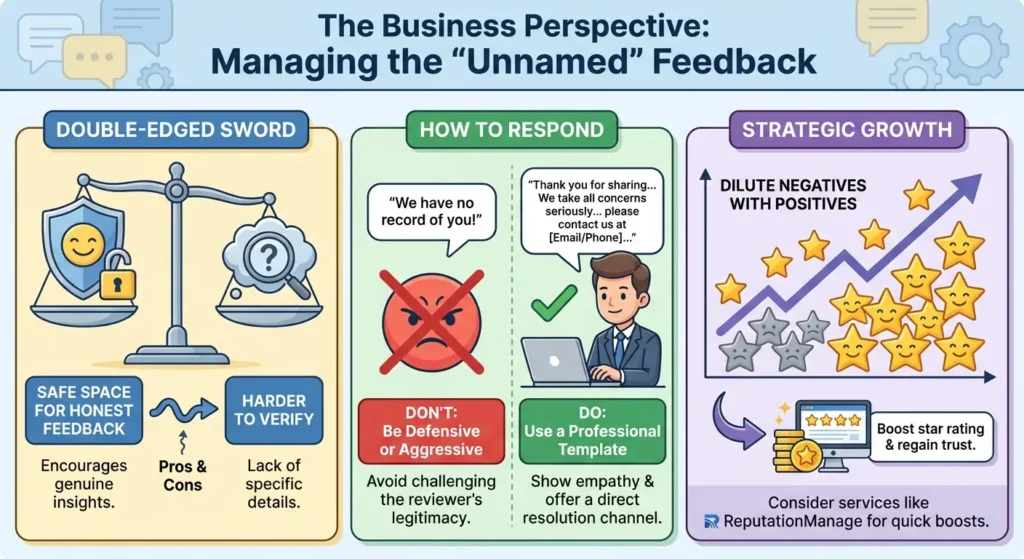
For business owners, anonymous reviews can be a double-edged sword. On one hand, they provide a safe space for honest feedback. On the other hand, they are harder to verify.
How to Respond to Anonymous Feedback
When replying to a review from an alias, avoid being defensive. Do not say, “We have no record of you in our system,” as this can come across as aggressive. Instead, use a template like:
“Thank you for sharing your feedback. We take all concerns seriously, regardless of the display name. We would like to learn more about your experience, please contact us at [Email/Phone] so we can make this right.”
Providing professional responses is a core part of responding to positive reviews and negative ones alike.
Strategic Growth
If you are struggling with a few negative anonymous reviews that are dragging down your average, the best solution is to dilute them with high-quality, positive feedback. You can buy Google reviews from ReputationManage to quickly boost your star rating and regain the trust of potential customers.
Conclusion
The ability to leave an anonymous Google review is a vital tool for consumer privacy in 2026. It encourages honesty in industries where people might otherwise stay silent.
For users, the process is simple: edit your Maps profile to use a custom name. For businesses, the focus should remain on providing excellent service and managing the overall “vibe” of your review section.
By staying on top of Google review management, you can ensure that your digital storefront remains a powerful asset for your brand.
Frequently Asked Questions
How do I leave a Google review without my name?
To post without your name, you must go into your Google Maps profile settings and change your display name to a pseudonym. This allows you to post while keeping your identity hidden from the public.
Can an anonymous Google review be traced?
A business owner cannot see your email address or real name if you use a pseudonym. However, Google keeps internal logs. If a review is part of a legal investigation or violates criminal laws, Google can be compelled to provide account details to authorities.
Can you leave anonymous reviews on a company?
Yes. There is no setting a business can turn on to “block” anonymous reviews. As long as the user has a Google account, they can choose to use an alias to review any public business listed on Google Maps.
Can someone see my email address from a Google review?
No. Google protects your privacy by never displaying your email address to the business or the public. Only your display name and profile photo are visible.